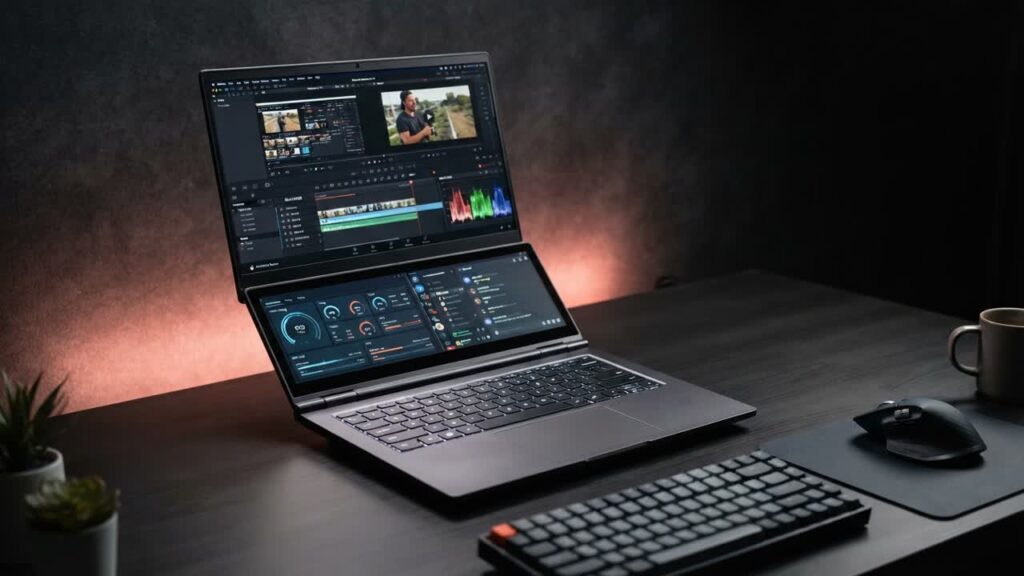
Dual-screen laptops like the Asus Zenbook Duo are productivity powerhouses, but their steep four-figure price tags keep them out of reach for most budget-conscious buyers. The Orthrus Duo attempts to democratize that concept, delivering a built-in secondary touchscreen positioned right above the keyboard at a fraction of the cost. For multitaskers, streamers, and budget tech enthusiasts who want a secondary pane for chat windows, system monitors, or media playback, it is an immediately eye-catching device.
However, bringing a complex form factor down to a budget tier introduces noticeable compromises. While having dedicated secondary screen real estate sounds ideal on paper, usability quirks, awkward keyboard positioning, and hardware limits mean buyers need to know exactly what they are getting into before pulling the trigger.
- Functional Dual-Display Setup: The lower touchscreen acts as a native secondary monitor in Windows, making it genuinely useful for keeping Spotify, Discord, hardware telemetry, or reference notes in view without covering your primary workspace.
- Ergonomic Sacrifices: Squeezing the secondary screen above the keyboard forces the keys down to the bottom edge and relegates the trackpad to a cramped slot on the right, making lap use frustrating and an external mouse practically mandatory.
- Display Inconsistencies: Mismatches in resolution, viewing angles, and brightness between the main screen and the lower panel can create a jarring visual transition that requires manual scaling adjustments in Windows.
- Budget Performance Ceiling: Modest underlying hardware handles everyday productivity, web browsing, and light emulation, but demanding multitasking across both panels will quickly push the thermal and processing limits.
Bottom line: The Orthrus Duo is an entertaining, low-cost novelty for gadget tinkerers who want dual-screen utility without premium pricing, but mainstream buyers will find far better everyday comfort and raw performance in a traditional single-screen laptop for the same money.