In the ever-evolving world of handheld gaming, the E6 device emerges as a topic of intrigue and scrutiny. Priced variably between $30 to $85, with a purchase point of $52 on AliExpress, the E6 handheld gaming device positions itself as an affordable entry into the realm of portable gaming. But does its low cost equate to high value? This review delves into the device’s specifics, offering a comprehensive overview of its features, performance, and overall worth.
Design and Specifications
The E6 boasts a 5-inch display, complemented by analog sticks and a unique dish-style D-pad equipped with conductive pads for enhanced responsiveness. The device is powered by a Rockchip 3326 CPU and a Mali G31 GPU at its core. Buyers can choose between 1 or 2 GB of RAM, allowing for some degree of customization based on user preference and budget. Storage is expandable up to 128 GB via a micro SD card, catering to an extensive library of games. A substantial 5000 mAh battery promises prolonged playtimes, ensuring gamers can indulge in their favorite titles without frequent interruptions for charging.
Software and Emulation Capabilities
Running on a custom version of Android, the E6 comes pre-loaded with various emulators, aiming to be a versatile platform for gaming enthusiasts. The device is tested across several emulation platforms, including Game Boy Advance, NES, Final Burn Alpha, PlayStation 1, N64, and PSP. While it excels in running NES and PlayStation 1 games, the E6 stumbles with GBA, N64, and PSP titles, indicating a mixed performance that may deter purists and those seeking flawless emulation.
Build Quality and User Experience
Despite its affordable price tag, the E6’s build quality and user experience reveal some compromises. The device’s speakers deliver subpar audio quality, and the inability to adjust the aspect ratio through software is a notable limitation for those particular about their visual experience. However, despite initial reservations due to its unconventional dish-style design, the D-pad proves to be a highlight thanks to the conductive pads that ensure accurate and responsive controls.
Teardown and Internal Assessment
A teardown of the E6 reveals a quad-core 1.5 GHz Rockchip 3326 CPU and the aforementioned large 5000 mAh battery. These internals suggest a device that’s built to last, yet the performance inconsistencies raise questions about optimization and software integration.
Key Takeaways :
Affordable Price Range: The E6 handheld gaming device is priced between $30 and $85, offering an affordable option for gamers. The reviewer’s purchase price on AliExpress was $52, highlighting its accessibility in terms of cost.
Hardware Specifications: The device boasts a 5-inch display, analog sticks, and a unique dish-style D-pad with conductive pads for improved responsiveness. It is powered by a Rockchip 3326 CPU and a Mali G31 GPU, with 1 or 2 GB of RAM options. Additionally, it supports up to a 128 GB micro SD card and has a substantial 5000 mAh battery.
Software and Emulation: Running on a custom version of Android, the E6 comes pre-installed with various emulators, making it ready for gaming right out of the box. It performs well with NES and PlayStation 1 games but struggles with GBA, N64, and PSP emulation, indicating limitations in its emulation capabilities.
Build and Design Issues: Despite its solid build, the device has notable drawbacks, including poor-quality speakers and a fixed aspect ratio that cannot be adjusted through its software.
Teardown Insights: A teardown of the device reveals its internal components, such as the quad-core 1.5 GHz Rockchip 3326 CPU and the large 5000 mAh battery, providing a glimpse into the device’s construction and potential for modding or repairs.
Final Verdict: While the reviewer appreciates the E6’s hardware and affordability, the emulation performance issues and design flaws prevent a full recommendation. However, there is interest in a rumored pro model that could address these shortcomings with a more powerful CPU, touchscreen, and Wi-Fi capabilities, suggesting potential for future improvements.
Pros
Cons
Affordable price range ($30 to $85)
Emulation issues with GBA, N64, and PSP games
5-inch display with analog sticks and a unique dish-style D-pad
Poor-quality speakers
Conductive pads on D-pad enhance responsiveness
Conductive pads on the D-pad enhance responsiveness
Powered by Rockchip 3326 CPU and Mali G31 GPU
Options for 1 or 2 GB of RAM
Supports up to a 128 GB micro SD card
Large 5000 mAh battery
Comes with various emulators pre-installed
Performs well with NES and PlayStation 1 games
Custom version of Android OS
Final Thoughts
While the E6 handheld gaming device shows promise with its hardware specifications and includes various emulators, its execution leaves room for improvement. The mixed emulation performance, lackluster audio quality, and software limitations make it difficult to recommend the E6 wholeheartedly in its current iteration. However, there’s a glimmer of hope with rumors of a pro model on the horizon, potentially addressing the current model’s shortcomings with a more powerful CPU, touchscreen capabilities, and Wi-Fi connectivity. For now, the E6 remains curious about what could be rather than what is.
In a world where gaming has become as ubiquitous as morning coffee, the question on everyone’s lips is, “Can I play video games on my laptop?” Let’s not beat around the bush—positively, yes! Gone are the days when gaming was confined to massive rigs that could double as spacecraft. Thanks to technological advancements, gaming laptops have blossomed into a kingdom of power and performance. Now, let’s dive into the juicy details and unleash the gaming beast within your computer.
Can I Play Video Games on My Laptop? The Quest for Performance
Ah, the age-old question that once echoed in dark corners of forums and tech stores. “Can my laptop handle games?” Fear not, intrepid gamers, for today’s laptops have hardware rivaling ancient gaming deities. Regarding gaming on a laptop, the CPU (Central Processing Unit) and GPU (Graphics Processing Unit) are your loyal companions. These hardware titans, often accompanied by a noble band of RAM (Random Access Memory) and storage options (the swift SSD or the steadfast HDD), combine their powers to create a symphony of digital prowess.
Compatibility and system requirements are the gatekeepers of your gaming dreams. While some games might demand power that makes your laptop quiver, most modern titles have a knack for running on various setups. It’s all about that glorious balance between performance and quality. You’ll dance through frame rates, tweak graphic settings with wild abandon, and delight in resolutions that make pixels swoon.
Gaming Laptop Upgradability: The Rise of the Phoenix
“Can I upgrade my gaming laptop?” This question, echoing through time, has witnessed a metamorphosis. In the days of yore, laptop upgradability was as elusive as the fountain of youth. But rejoice, the magic of upgradability has touched modern gaming laptops. The phoenix rises once more!
What can you upgrade, you ask? RAM and storage often present themselves as the gateways to a more potent gaming experience. Yet, the road to upgrade nirvana is not without its twists and turns. Manufacturer design and model-specific constraints might hold you back from reaching the upgrade Valhalla you seek. So, choose wisely, young upgrader, and pave your way toward a future-proof gaming haven.
Laptop for Gaming on a Budget: Quest for Glory without Emptying Your Pouch
Now, let’s journey into the lands of budget gaming laptops. The heart yearns for pixelated glory, but the wallet whispers tales of caution. Fear not, for even within the realm of budget constraints, treasures await! Brace yourself for the ultimate adventure—a quest for glory without emptying your pouch.
In this realm, valiant heroes wield laptops armed with budget-friendly GPUs that pack a punch. Considerations arise—how to strike a balance between GPU performance and cost, what display refresh rates and resolution to seek, and the magic of cooling solutions that keep the fires of enthusiasm burning bright. Fear not, for in the dark caves of online marketplaces, laptops from entry-level to slightly higher budgets await your selection.
Optimizing the Gaming Experience on Laptops: The Art of Mastery
Ah, the thrill of optimization—a symphony of cooling solutions and external peripherals. Imagine wielding a gaming mouse that glides with the grace of a swan, or a keyboard that responds to your every command like a loyal steed. Controllers whisper sweet promises of immersive gameplay, while external monitors unveil realms of larger-than-life pixels.
But let’s not forget the dance of software optimizations. Within your grasp lies the power to adjust graphic settings, summon the right drivers, and wield tools that optimize your gaming oasis. It’s a digital art, a dance of code and visuals, leading to the nirvana of seamless gameplay.
Future Trends in Gaming Laptops: Gazing Beyond the Horizon
The horizon beckons, and future trends in gaming laptops unfold like chapters in a cosmic saga. Advancements in hardware technology emerge from the depths of innovation, bringing new CPU and GPU architectures to the fold. Ray tracing and DLSS cast spells of realism upon your games, and the ripple of cloud gaming services reshapes the very fabric of play.
Behold the dawn of portability and versatility! Convertible gaming laptops, chameleons of the digital age, seamlessly shift between productivity and play. New display technologies emerge, painting vivid landscapes of immersive gaming.
Key Takeaways: Navigating the Gaming Laptop Odyssey
As our exploration of gaming on laptops comes to a triumphant close, let’s distill the essence of this odyssey into key takeaways that shall guide you on your gaming adventures.
1. Laptop Power Unleashed: Yes, You Can Game!
The answer to the perennial question—“Can I play video games on my laptop?”—is a resounding YES! Modern laptops are equipped with the hardware prowess to tackle even the most demanding gaming titles. With a balanced combination of CPU, GPU, RAM, and storage, your laptop can be transformed into a gaming powerhouse.
2. Upgradability: The Phoenix Rises
The landscape of gaming laptop upgradability has evolved. While not all components are upgradeable due to manufacturer design and model-specific constraints, the doors to enhancement are open wider than ever. Focus on upgrading RAM and storage for a more future-proof gaming setup.
3. Budget Gaming: Adventure Within Reach
Budget constraints need not quell your gaming dreams. Budget-friendly gaming laptops armed with capable GPUs offer an immersive gaming experience without breaking the bank. Strike a balance between GPU performance, display quality, and cooling solutions to create your ultimate gaming haven.
4. Mastering Optimization: Elevate Your Play
Optimize your gaming experience like a virtuoso. From cooling solutions and external peripherals to software tweaks, your journey doesn’t end with unboxing. Wield the tools at your disposal to fine-tune graphic settings, embrace controllers, and embrace the magic of seamless gameplay.
5. Gaze Beyond: Future Trends Beckon
The horizon of gaming laptops gleams with promise. Keep an eye on advancements in hardware technology, as new CPU and GPU architectures pave the way for unparalleled realism. Explore the realms of ray tracing and cloud gaming, and relish the portability and versatility of convertible laptops.
Pros and Cons of Gaming on Laptops
Pros
Cons
Portability: Game anywhere, anytime
Limited Upgradability: Some components are not easily upgradeable, restricting future enhancements
Space Saving: No need for a bulky setup
Thermal Constraints: Intensive gaming can lead to heating issues, affecting performance
Versatility: Double for work and play
Limited Screen Real Estate: Smaller screens may hinder immersive gaming experiences
Modern Hardware: Powerful CPUs and GPUs
Battery Life: Intense gaming drains the battery quickly
Plug and Play: No need for external devices
Pricey High-End Models: High-performance gaming laptops can be quite expensive
Cloud Gaming Possibilities: Stream games without heavy hardware requirements
Less Customization: Limited options for personalizing hardware compared to desktop setups
Upcoming Trends: Future technologies and features
Lower Performance Compared to Desktops: High-end desktops can outperform even top-tier gaming laptops
Conclusion: Embrace Your Gaming Odyssey
And so, our journey through the realms of gaming on a laptop reaches its conclusion. The power is in your hands, dear gamer, to forge your path. From the quest to uncover laptop capabilities to the art of optimization, from the allure of budget gaming to the tantalizing embrace of future trends, your odyssey awaits. Embrace the pixels, wield the hardware, and let your gaming laptop become a vessel of unbridled gaming joy. The world is your playground, and the laptop, your key to unlocking its wonders.
Frequently Asked Questions (FAQ)
1. Can I Play Demanding Games on My Laptop?
Absolutely! Modern gaming laptops have powerful CPUs and GPUs that can handle demanding games with finesse. Just ensure your laptop meets the game’s system requirements for a smooth experience.
2. Are Gaming Laptops Upgradable?
Yes, but with some limitations. While RAM and storage upgrades are common, other components like CPUs and GPUs may be challenging to upgrade due to design constraints. Research your laptop’s upgradeability options before making a decision.
3. What Should I Look for in a Budget Gaming Laptop?
When shopping on a budget, focus on GPUs that offer the best performance for the price. Consider display refresh rates and cooling solutions to ensure an enjoyable gaming experience without burning a hole in your wallet.
4. How Can I Optimize My Laptop for Gaming?
Optimization involves adjusting graphic settings, keeping drivers up-to-date, and using cooling pads to manage thermals. External peripherals like gaming mice and controllers can enhance gameplay. Don’t forget software tweaks and optimization tools!
5. Will Gaming on My Laptop Drain the Battery?
Yes, intense gaming can drain your laptop’s battery quickly. Consider playing while plugged in for longer gaming sessions, or optimize your settings for longer battery life if you’re on the move.
6. Are Cloud Gaming Services Worth Exploring?
Absolutely! Cloud gaming services allow you to stream games over the internet, reducing the need for powerful hardware. However, a stable, high-speed internet connection is essential for a seamless experience.
7. How Do Gaming Laptops Compare to High-End Desktops?
Gaming laptops offer portability and convenience but might not match the sheer power of high-end desktops. Desktops can provide superior performance and better upgradability but lack the mobility factor.
8. Can I Use External Monitors With My Gaming Laptop?
Certainly! Many gaming laptops support external monitors, allowing you to enjoy a larger display for a more immersive gaming experience. Just ensure the monitor’s specifications complement your laptop’s capabilities.
9. Are Convertible Gaming Laptops Worth Considering?
Convertible gaming laptops offer versatility by doubling as gaming rigs and productivity devices. They’re great for users who want a single device for work and play, but remember that their gaming performance might be slightly compromised compared to dedicated gaming laptops.
10. How Can I Future-Proof My Gaming Laptop?
Invest in higher-end models with better GPUs and CPUs to future-proof your gaming laptop. Aim for laptops that support RAM and storage upgrades. Staying informed about upcoming hardware trends and technologies can also help you make informed decisions.
11. Can Gaming Laptops Replace Desktops Completely?
While gaming laptops are versatile and powerful, they might not entirely replace high-end desktops in raw performance and customization options. However, they provide an exceptional balance between gaming prowess and portability.
12. Are Gaming Laptops Suitable for eSports and Competitive Gaming?
Absolutely! Many gaming laptops offer high refresh rates and low response times, making them perfect for competitive gaming and eSports. Look for laptops with features tailored to your preferred gaming genre.
13. Should I Be Concerned About Heating Issues?
Heating issues can affect gaming laptops, especially during intense gaming sessions. Invest in cooling solutions like pads and laptop stands to manage temperatures and maintain optimal performance.
14. Can I Use VR Headsets with Gaming Laptops?
Yes, many gaming laptops are VR-ready and compatible with popular VR headsets. Ensure your laptop meets the VR headset’s system requirements for a smooth, immersive virtual reality experience.
15. What’s the Future of Gaming Laptops?
The future of gaming laptops holds exciting advancements in hardware technology, including better CPUs, GPUs, and display technologies. Cloud gaming will continue influencing the landscape, offering more accessible gaming experiences.
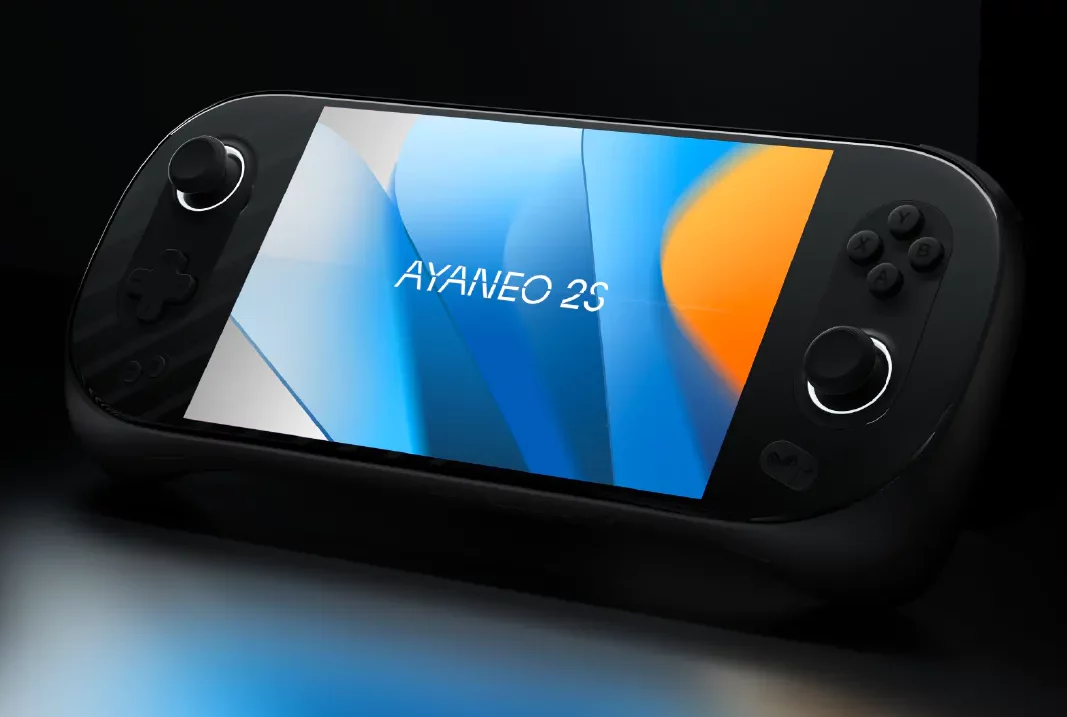
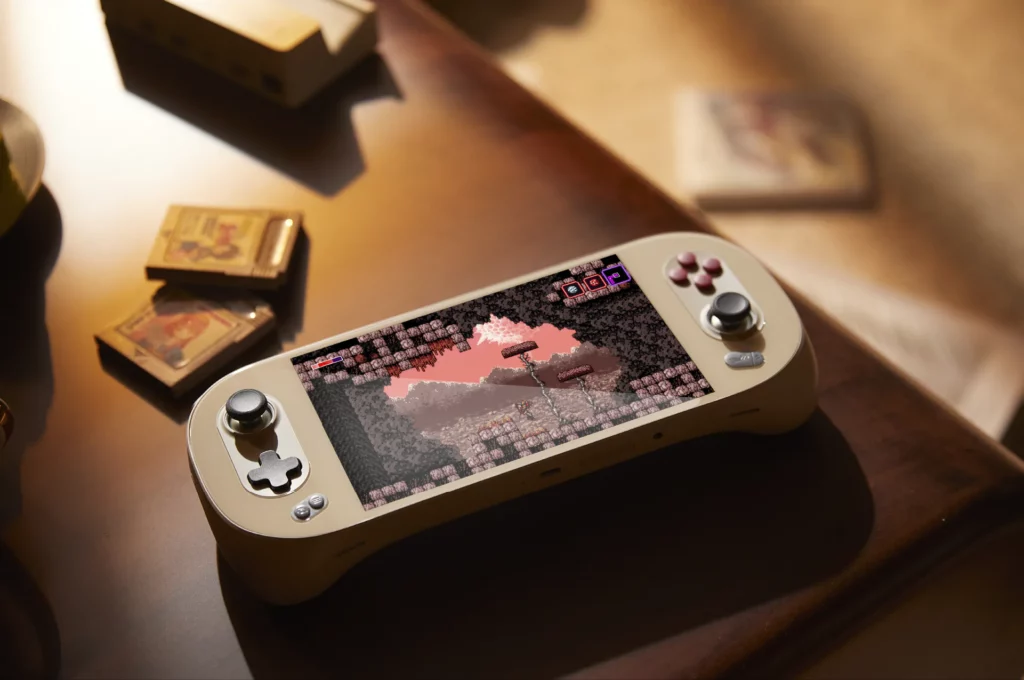
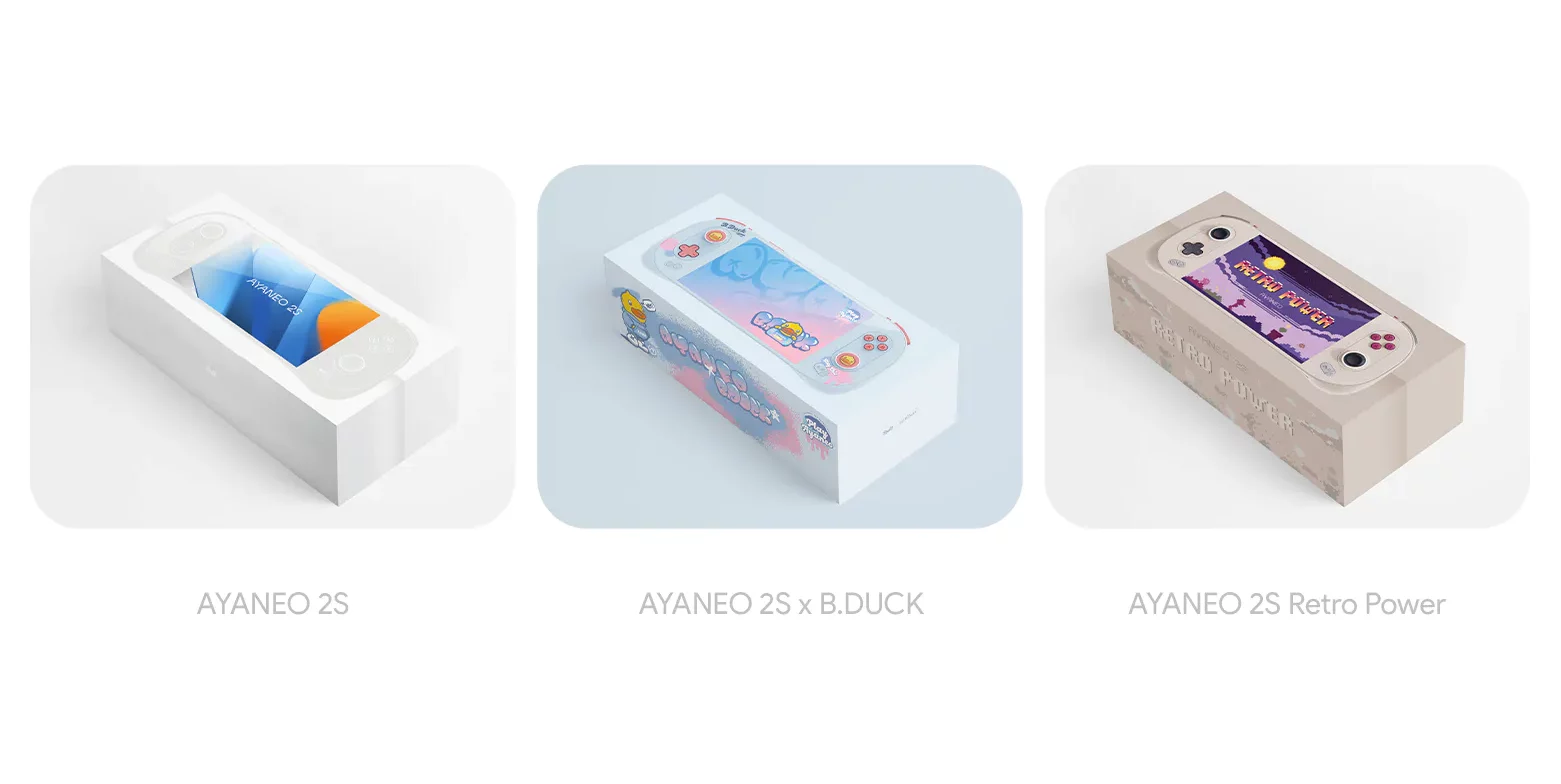
Ah, handheld gaming. It’s the stuff of nostalgia. From the Gameboy’s pixelated charm to the Switch’s versatility, handheld devices have always had a special place in our hearts. But now, there’s a new kid on the block: the Ayaneo 2S. Let’s unravel the magic behind this device and see how it stands in the ever-evolving gaming arena.
Introduction
Handheld gaming has come a long way. Remember the days of swapping cartridges on the playground? Fast forward to today, and we’re talking about devices that pack the power of a full-fledged PC into the palm of your hand. Enter the Ayaneo 2S, a device making waves and turning heads in the gaming community.
The Rise of Handheld Gaming PCs
The gaming landscape has been evolving at a breakneck pace. From the humble beginnings of Tetris on the Gameboy to the immersive worlds of the Switch, handheld gaming has been a rollercoaster of innovation. And now, with the likes of the Steam Deck, ROG Ally, and the Ayaneo 2S, we’re entering a new era where your favorite PC games can be enjoyed on the go, without compromise.
Ayaneo 2S vs. ROG Ally: The Specs Showdown
Ah, the age-old debate: which device reigns supreme? On the one hand, we have the Ayaneo 2S with its stunning 7-inch display, boasting a crisp 1200p resolution. On the other, the ROG Ally, with its equally impressive display but at a 1080p resolution. And let’s not forget the heart of these devices: the Zen 4-based AMD APUs. It’s like comparing two sports cars – each with strengths and quirks.
Diving Deeper into the Ayaneo 2S Features
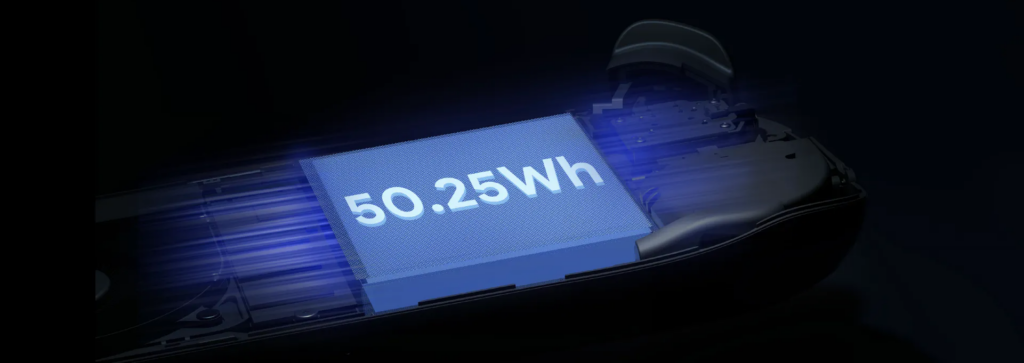
The Ayaneo 2S isn’t just about good looks. It’s a powerhouse. This device means business with 16GB to 64GB of RAM and storage options that would make any tech enthusiast drool. And did we mention the battery? A robust 50Wh ensures you’re not constantly tethered to a charger.
Price Points: Getting What You Pay For
Let’s address the elephant in the room: the price. Starting at $999, the Ayaneo 2S is a significant investment. But as the saying goes, “You get what you pay for.” And with the Ayaneo 2S, you get a top-tier device that promises an unparalleled gaming experience.
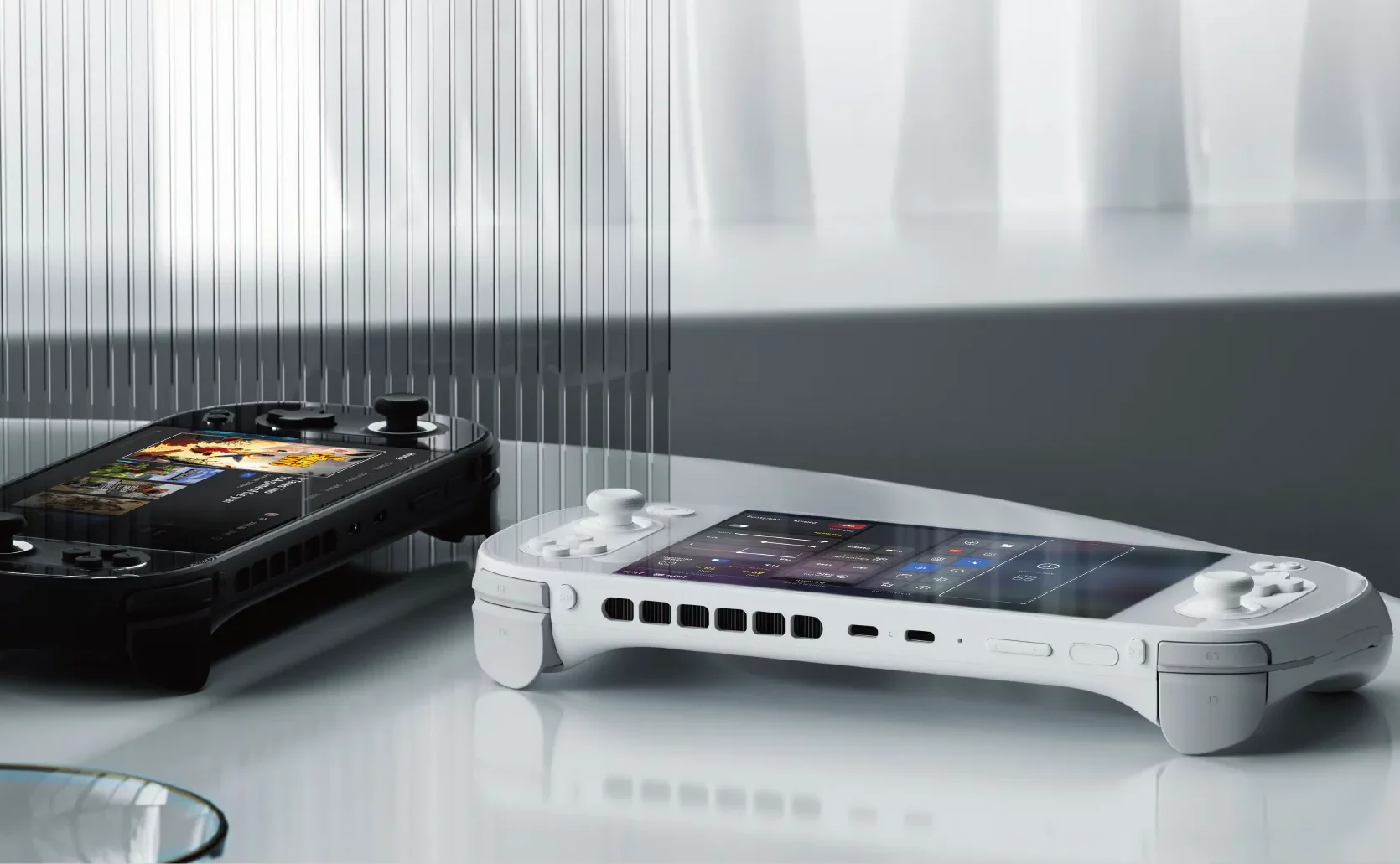
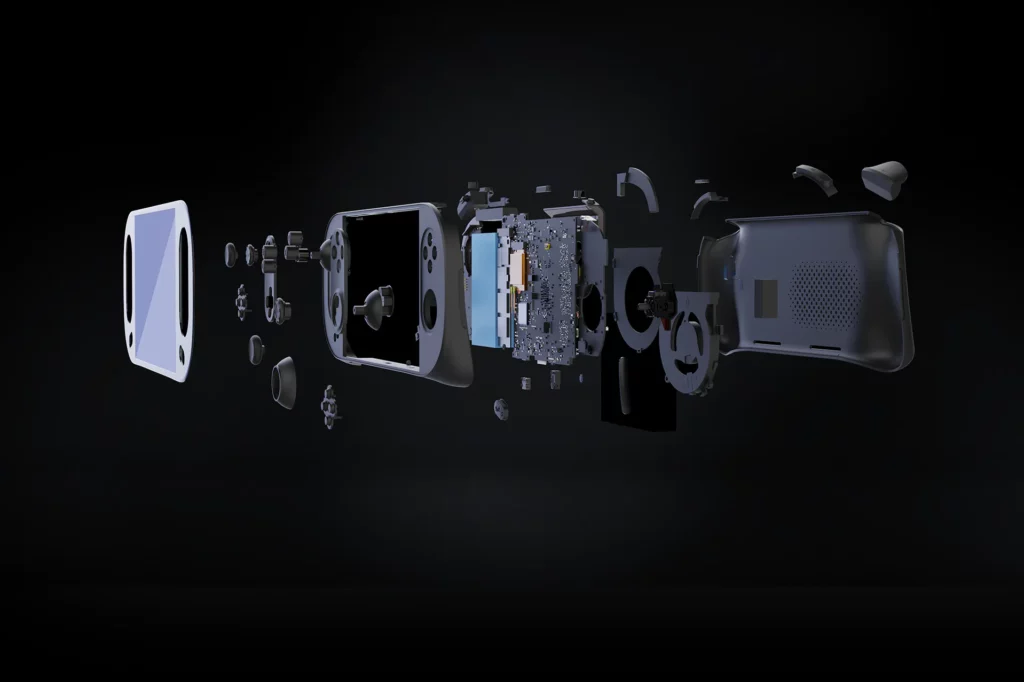
Change is the only constant, and the Ayaneo 2S is a testament to that. While it retains the charm of the Ayaneo 2, it brings a slew of upgrades to the table. From a powerful 7840U processor to enhanced cooling features, the 2S is a refined beast, ready to take on any gaming challenge you throw at it.
Gaming Performance: Real-World Tests
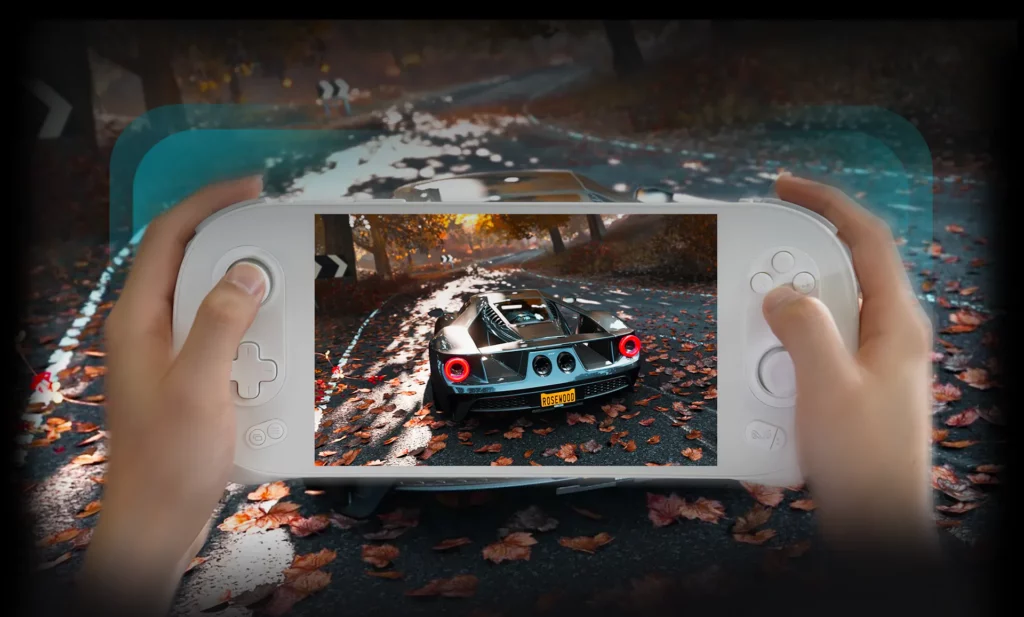
Numbers are great, but how does the Ayaneo 2S fare in real-world scenarios? Spoiler alert: It’s impressive. Whether exploring the vast landscapes of AAA titles or indulging in indie gems, the 2S ensures a smooth, immersive experience.
The Screen: Brightness, Contrast, and More
A gaming device is only as good as its display. And the Ayaneo 2S doesn’t disappoint. With its 7-inch mini-LED screen, games come to life in vibrant colors and sharp details. Whether you’re gaming indoors or out in the sun, the display ensures you’re always in for a visual treat.
Battery Life: Play Longer, Charge Less
We’ve all been there: engrossed in a game, only to have the device die on us. With the Ayaneo 2S, those moments are few and far between. Thanks to its 50.25WH battery, you can game on without worrying about the next charge.
Software Experience: Windows 11 on a Handheld
Windows on a handheld? Yep, you read that right. The Ayaneo 2S brings the full power of Windows 11 to your fingertips. While it might seem daunting at first, the benefits are manifold. From a vast gaming library to seamless software compatibility, the Windows experience on the 2S is a game-changer.
Design and Ergonomics: Feel the Game
The Ayaneo 2S isn’t just about raw power. It’s designed with gamers in mind. From its ergonomic design to tactile buttons, every element ensures a comfortable gaming session, even during those marathon sessions.
Expandability: More Than Just a Handheld
The Ayaneo 2S is versatile. With various connectivity options, it can quickly transform from a handheld gaming device to a full-fledged PC setup. Whether gaming on the go or at your desk, the 2S covers you.
Challenges and Concerns
Every device is flawed, and the Ayaneo 2S is no exception. From its premium price tag to concerns about overheating, certain aspects must be considered before taking the plunge.
The Competition: Where Does Ayaneo 2S Stand?
In a market flooded with devices, where does the Ayaneo 2S stand? The competition is fierce, from the value proposition of the Steam Deck to the allure of the ROG Ally. But the 2S, with its unique blend of power and design, carve a niche for itself.
The stunning 7-inch mini-LED display offers vibrant and detailed visuals.
Concerns about overheating, especially when running at higher wattages.
Versatile Windows 11 experience in a handheld format.
The screen is locked to 60Hz, missing out on higher refresh rates.
Large 50.25WH battery for extended gaming sessions.
Potential support challenges due to Ayaneo being based out of China.
Ergonomic design ensures comfort during long play sessions.
The down-firing speakers aren’t as impressive as some competitors.
It has wide compatibility with a vast library of games and apps.
It can double up as a full-fledged PC with the right peripherals.
It has an enhanced cooling system for better performance.
Multiple configurations are available to suit different needs and budgets.
Magnetic Hall effect sensors offer smooth and responsive controls.
Key Takeaways
A powerhouse in Your Pocket: The Ayaneo 2S is a marvel of modern engineering, packing the might of a full-fledged PC into a handheld device.
Price vs. Performance: While the Ayaneo 2S has a premium price tag, it offers top-tier performance, making it a significant contender in the handheld gaming market.
Stunning Display: The 7-inch mini-LED screen ensures games are vibrant, detailed, and a treat for the eyes, setting a new standard for handheld displays.
Battery Life: With a robust 50.25WH battery, the Ayaneo 2S ensures longer gaming sessions without needing a charger.
Windows 11 Experience: The device brings the complete Windows 11 experience to a handheld, opening up a vast library of games and applications.
Ergonomic Design: Beyond its technical prowess, the Ayaneo 2S is designed for gamers, ensuring comfort even during extended play sessions.
Versatility: The Ayaneo 2S isn’t just a gaming device. With its range of connectivity options, it can double up as a full-fledged PC setup.
Challenges: Like all devices, the Ayaneo 2S isn’t without its challenges, from its premium pricing to concerns about overheating.
Standing Among Giants: In a market with heavyweights like the Steam Deck and ROG Ally, the Ayaneo 2S holds its thanks to its unique blend of features and performance.
A New Era of Handheld Gaming: The Ayaneo 2S signifies the evolution of handheld gaming, setting the stage for what’s to come in the future.
Conclusion
The Ayaneo 2S is a testament to how far handheld gaming has come. It’s a device that promises power, versatility, and an unparalleled gaming experience. While it has its set of challenges, its strengths make it a worthy contender in the handheld gaming arena.
FAQs about Ayaneo 2S
What is the Ayaneo 2S?
The Ayaneo 2S is a high-performance, handheld gaming PC that offers a blend of power and portability for gaming enthusiasts.
How does the Ayaneo 2S compare to the Steam Deck and ROG Ally?
While the Steam Deck offers value, and the ROG Ally boasts a faster screen, the Ayaneo 2S combines top-tier performance and a stunning display.
Is the Ayaneo 2S just for gaming?
No, the Ayaneo 2S runs on Windows 11, making it versatile enough for various applications, from gaming to productivity tasks.
How much does the Ayaneo 2S cost?
The Ayaneo 2S starts at $999, with prices varying based on configurations and storage options.
Are there concerns about the Ayaneo 2S overheating?
Some users have raised concerns about the device getting hot, especially at higher wattages.
What kind of display does the Ayaneo 2S have?
The device boasts a 7-inch mini-LED screen with vibrant visuals and detailed graphics.
How long does the battery last on the Ayaneo 2S?
The 50.25WH battery can last for around two hours at higher power settings and up to four hours or more with less demanding games.
Can I use the Ayaneo 2S as a regular PC?
The Ayaneo 2S can function as a full-fledged computer with the right peripherals and a docking station.
What kind of controls does the Ayaneo 2S offer?
The device features magnetic Hall effect sensors for smooth management and an ergonomic design for comfortable gameplay.
Where is Ayaneo based, and does that affect support?
Ayaneo is based in China, which might pose challenges for international aid and repairs.
Does the Ayaneo 2S support external GPUs?
Yes, the Ayaneo 2S has USB4 ports supporting eGPUs, enhancing its gaming capabilities.
Is the Ayaneo 2S worth its premium price tag?
While the Ayaneo 2S is pricier, its features and performance make it a compelling choice for those seeking top-tier handheld gaming.
How does the Ayaneo 2S handle modern AAA titles?
Thanks to its powerful processor and optimized cooling, the Ayaneo 2S can run demanding AAA titles at very playable frame rates.
Are there any alternatives to the Ayaneo 2S in the market?
Yes, devices like the Steam Deck, ROG Ally, and GPD WIN 4 are some of the other options in the handheld gaming PC market.
How does the Ayaneo 2S’s sound quality compare to other handhelds?
The down-firing speakers on the 2S are decent but might not be as impressive as some competitors like the ROG Ally.
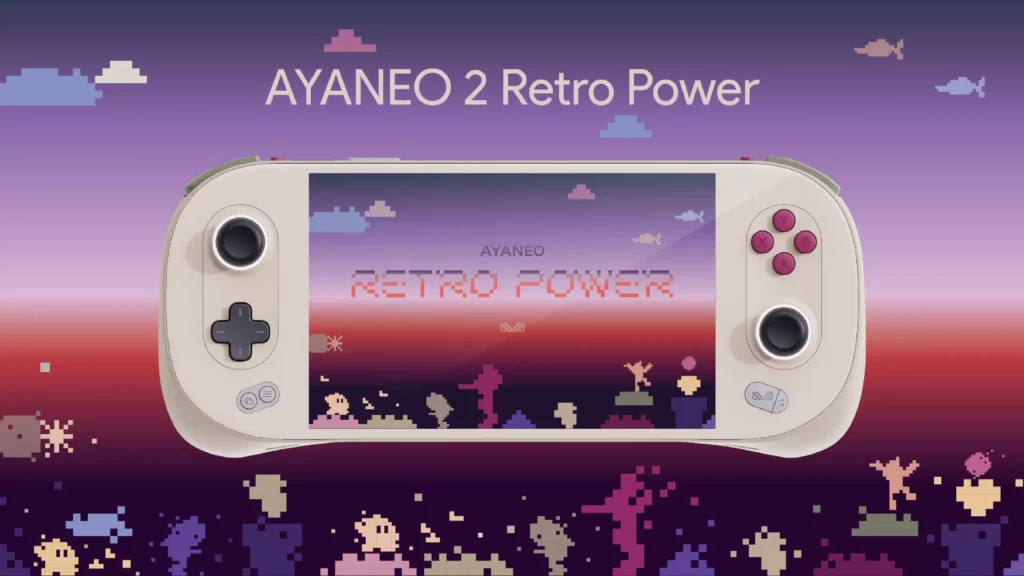
Ah, the world of handheld gaming. It’s evolved. From the days of the Game Boy to the Nintendo Switch, and now, enter the Ayaneo 2. This isn’t just another handheld; it’s a statement. A testament to how far we’ve come and where we’re headed. Let’s unwrap this digital delight.
Design and Build
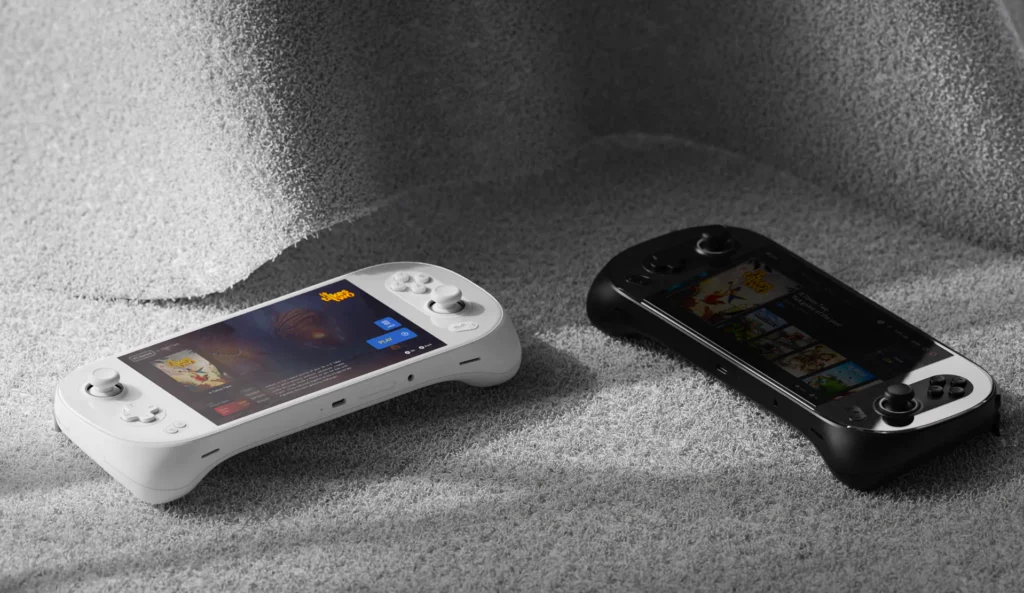
The first thing you’ll notice about the Ayaneo 2? It’s a bezel-less screen. It’s like looking into the future, where the only limit is the horizon—no more chunky borders to limit your adventures. And speaking of holding the future, the ergonomic design ensures that your marathon gaming sessions are a breeze, not a chore. Remember the days when handhelds left you with cramps? Those days are gone. The Ayaneo 2 feels like it was crafted for your hands—pure bliss.
Ayaneo 2 Specifications
Alright, tech enthusiasts, this one’s for you. At the heart of this beast lies the AMD Ryzen 7 6800U processor. It’s not just about raw power; it’s about efficient, blazing-fast performance. Whether battling aliens or building empires, this device won’t disappoint you.
Display: A stunning 7-inch IPS touchscreen that brings your games to life.
CPU & GPU: With the Ryzen 7 and Integrated AMD Radeon RDNA 2, it’s all about seamless gameplay.
Memory & Storage: Options galore! From 16GB to 32GB memory and up to 2TB NVMe storage.
Battery: A robust 50.25 Whr battery ensures you’re always in the game.
And for those always looking for a bit more, there’s the Ayaneo Geek version. A tad lighter in the pocket but still heavy on performance.
Features and User Experience
Now, what’s a device without its features? Just a piece of hardware. But the Ayaneo 2? It’s an experience. Running Windows 11 Home Edition bridges the gap between PC gaming and handheld delight. And those controls? They’re not just buttons but your gateway to other worlds—responsive, tactile, and oh-so-satisfying.
The Aya Space software is like the cherry on top. Customize to your heart’s content, launch games with a tap, and dive into a world of features that make the Ayaneo 2 truly yours. And that fingerprint reader? Fast, fluid, and right where you need it. Just a touch away.
Performance and Gaming
Let’s talk numbers. Because in the world of gaming, performance is king. The Ayaneo 2 doesn’t just play games; it immerses you in them. With benchmarks that leave competitors like the Steam Deck in the dust, this device is all about top-tier gaming on the go.
Whether you’re a casual gamer or a hardcore enthusiast, the Ayaneo 2 adapts. Adjust settings, optimize performance, and get the best out of every game. And that battery? It’s got your back. The Ayaneo 2 ensures you’re always powered up, from quick sessions to long hauls. Game on!
Connectivity and Expansion
In today’s connected world, a device is only as good as its connectivity options. And the Ayaneo 2 doesn’t disappoint. WiFi 6, Bluetooth 5.2, and multiple USB Type-C ports ensure you’re always connected, whether downloading the latest games or battling it out online.
Need more space? Just pop in a MicroSD card. Want to dive into a more immersive experience? Connect it to a bigger screen. The Ayaneo 2 is all about flexibility and ensuring your gaming never stops.
Comparisons and Market Position
Now, the million-dollar question. How does it stack up against the competition? In a world dominated by the Steam Deck, the Ayaneo 2 carves its niche. It’s not just about better performance but a better overall experience. From the design to the controls, from the screen to the software, the Ayaneo 2 is in a league of its own.
Yes, it comes with a premium price tag, but as the adage goes, you get what you pay for. And with the Ayaneo 2, you’re getting the best in handheld gaming.
Pros
Cons
Bezel-less screen for immersive gaming
Comparatively new in the market, long-term reliability is yet to be tested
AMD Ryzen 7 6800U ensures top-tier performance
Potential heat management concerns during intensive gaming
Ergonomic design for comfortable extended gameplay
Comparatively new in the market, long-term reliability is yet to be tested
Windows 11 Home Edition offers a versatile experience
Size might be bulky for some users
Aya Space software enhances customization
Limited physical controls compared to traditional gaming consoles
Superior benchmarks compared to competitors
Battery life might vary significantly based on usage
Multiple connectivity options with WiFi 6, Bluetooth 5.2, and USB Type-C
Some might find it overkill for casual gaming
Key Takeaways
Futuristic Design: The Ayaneo 2 boasts a bezel-less screen and an ergonomic build, ensuring visual delight and comfort during extended gameplay.
Powerhouse Performance: The AMD Ryzen 7 6800U processor and Integrated AMD Radeon RDNA 2 promises seamless gameplay, outshining many competitors.
Feature-Rich Experience: Running Windows 11 Home Edition, the Ayaneo 2 bridges PC gaming and handhelds. The Aya Space software further enhances customization and user experience.
Gaming Excellence: Performance benchmarks reveal the Ayaneo 2’s superiority, especially compared to devices like the Steam Deck. It’s tailored for both casual and hardcore gamers.
Stay Connected: WiFi 6, Bluetooth 5.2, and USB Type-C ports ensure you’re always connected. Plus, expandable storage via a MicroSD card slot adds flexibility.
A League of Its Own: In the handheld gaming market, the Ayaneo 2 stands out, not just in performance but in its overall gaming experience.
Conclusion
The Ayaneo 2 isn’t just another device; it’s a revolution. It’s the culmination of years of innovation packed into a sleek, powerful package. Whether you’re a gaming veteran or just starting, the Ayaneo 2 promises an experience like no other. Dive in, and let the adventures begin. Happy gaming!
FAQs
Q: What is the Ayaneo 2? A: The Ayaneo 2 is a handheld gaming PC designed to offer a powerful gaming experience, bridging the gap between traditional PC gaming and handheld devices.
Q: How does the Ayaneo 2 compare to the Steam Deck? A: While both are powerful handheld gaming devices, the Ayaneo 2 boasts superior benchmarks in many areas. However, their choice often concerns personal preference, brand loyalty, and specific gaming needs.
Q: Does the Ayaneo 2 run on Windows 11? A: The Ayaneo 2 runs on Windows 11 Home Edition, providing gamers a versatile and familiar experience.
Q: Can I expand the storage on the Ayaneo 2? A: Absolutely! The Ayaneo 2 has a MicroSD card slot, allowing for expandable storage.
Q: What’s the battery life like? A: The Ayaneo 2 houses a robust 50.25 Whr battery. However, battery life can vary based on usage, game intensity, and settings.
Q: Is the Ayaneo 2 suitable for casual gamers? A: While the Ayaneo 2 has features that hardcore gamers will love, its intuitive design and versatile software make it suitable for casual gamers.
Q: How does the Aya Space software enhance the gaming experience? A: Aya Space software allows users to customize their gaming experience, launch games quickly, and access a range of features tailored for the Ayaneo 2.
Q: Are there different versions of the Ayaneo 2 available? A: Yes, besides the standard Ayaneo 2, there’s also the Ayaneo Geek version, which offers a slightly different configuration at a more affordable price point.
Q: How does the bezel-less screen impact gameplay? A: The bezel-less screen offers an immersive experience, allowing games to be displayed edge-to-edge, enhancing visual appeal and engagement.
Q: Can I connect the Ayaneo 2 to other devices or screens? A: Yes, with its multiple USB Type-C ports, the Ayaneo 2 can be connected to various devices, including larger screens, for a more expansive gaming experience.
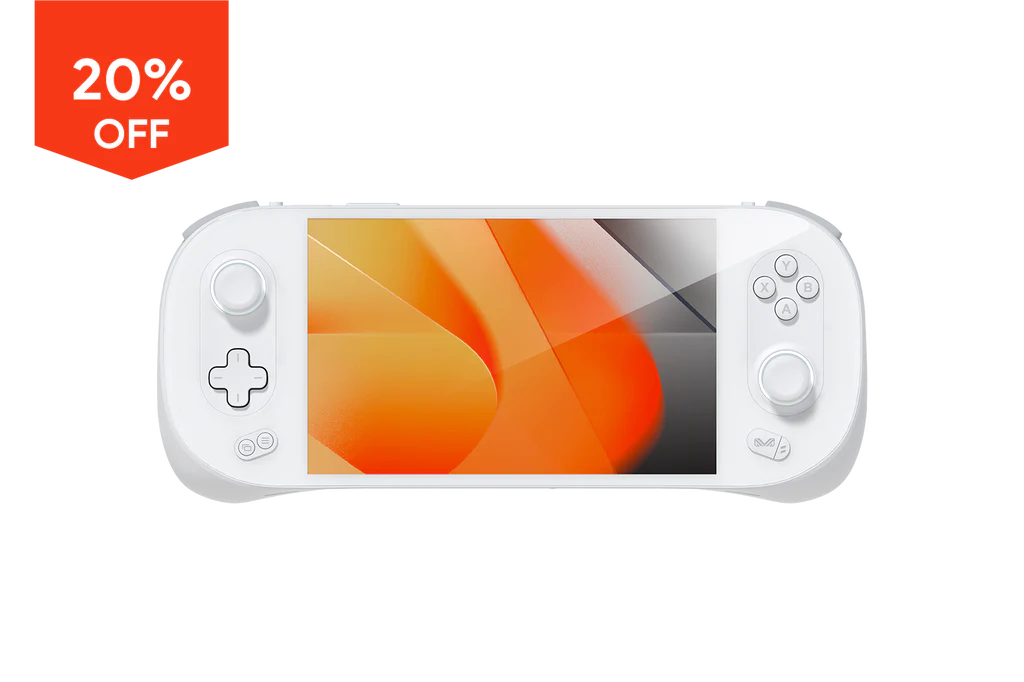
🔥 Limited Time Offer!
Grab your Ayaneo 2 now and enjoy a whopping 20% OFF! Don’t miss out – elevate your gaming experience today! 🎮