Tag: ROG ALLY

  • ROG ALLY Exposed: The Good, The Bad, and The Gaming!

    ROG ALLY Exposed: The Good, The Bad, and The Gaming!

    Introduction

    Ah, the thrill of unboxing a new gadget! Especially when it’s the ROG ALLY, the latest sensation in the PC handheld market. Imagine a device that boasts an impressive screen and an ultra-quiet cooling system. Sounds like a dream, right? But, like all dreams, there’s always a twist. Despite its bells and whistles, the ROG ALLY isn’t without its quirks. That’s what makes it unique, and I’m here to spill the beans on this gaming marvel.

    https://www.youtube.com/watch?v=LLuBSABQfzk

    Acquisition Experience

    Picture this: You’ve been eyeing this device for weeks, and then the shipment issues hit. Not once, but twice over two weeks! Talk about playing hard to get. But when you’re a gaming enthusiast, no mountain is too high. I even heard of someone who took a 1600-mile round-trip flight to collect it from an AMD employee. Now that’s dedication! And after all that effort, the burning question remains: Does the ROG ALLY live up to its reputation? Let’s find out.

    First Impressions

    You know you’re in for a treat when you hold the ROG ALLY. It’s not like any other handheld you’ve ever held. The unique texture feels premium, almost luxurious. And that textured print on the back? Not just for show – it gives you that extra grip for those intense gaming sessions. The design screams, “I’m top-notch!” the comfort level is through the roof. I’d give it a solid 9 out of 10. The layout might take a minute to get used to, but all good things come with a learning curve.

    Controls

    Let’s talk buttons. The middle ones? Spot on. Easy to distinguish and super user-friendly. The ABXY buttons have that chunky feel, kinda like the Steam Deck. And the circle d-pad? Oh boy, it’s like the Rolls Royce of D-pads. But not everything is sunshine and rainbows. The analog sticks are alright, but they’re no match for the Xbox or PlayStation controllers. And the shoulder buttons? Textured and comfy, but the R2 and L2 triggers could use more love. They feel a tad undersized for my taste.

    Software Interface

    Navigating ROG ALLY’s software is a breeze thanks to the two main buttons. The Armory crate is your go-to for adding and launching games. And for the tech-savvy among us, the configuration settings and lighting modes are where the magic happens. It’s got a Steam OS vibe and those LED lights? Pure aesthetic gold.

    TDP Control and FPS Limits

    Now, here’s where the ROG ALLY stands out from the crowd. It’s got its unique system for controlling performance. You’ve got three profile settings to play with silent, performance, and turbo. Each has its range of TDP levels, making it a cinch to adjust performance. But there’s a catch. ROG claims a bug with the FPS limiter in the first two profiles. And from what I’ve seen, adjusting TDP is where the real power-saving magic happens.

    Bugs Encountered

    No device is perfect, and the ROG ALLY is no exception. The command center had a few hiccups, and some games had quirks. Far Cry, I’m looking at you. And then there were those occasional crashes during intense gameplay. It’s all part of the journey, right?

    Game Tests

    Ready to geek out? Let’s talk about game performance. On the 9W Silent profile, games like Orcs Must Die 2Oblivion, and Far Cry were smooth as butter. Crank it up to the 15W Performance profile, and games like Sekiro and Shadow of the Tomb Raider shine. And for the adrenaline junkies, the 25-53W Turbo profile is where it’s at. Witcher 3 at 720p low settings? Pure gaming bliss.

    Performance and Testing of the Rog Ally

    Ever tried connecting via USB and felt that annoying lag? Yep, the ROG ALLY has been there. But transferring the game to internal storage seems to do the trick. And when it comes to game performance, titles like FF15, Borderlands 3, and Cyberpunk 2077 are a treat. The thermal performance is the cherry on top. The device stays whisper-quiet, even when you’re pushing it to the limit.

    Sound Quality and Battery Life

    The sound quality? Music to my ears. Literally. The speakers are top-notch, drowning out even the fan at its loudest. And the battery? It’s on par with the Steam Deck. But, a little birdie told me that performance testing between the two is in the works. Stay tuned!

    Docks & Accessories

    If you’re a Steam Deck fan, you’re in luck. The ROG ALLY is compatible with most of its docks. But, a word of caution: watch out for that audio jack distortion with certain adapters. My advice? Go for the omnidoc from jsoc. It’s a game-changer.

    Chip Discussion and Price Evaluation

    The million-dollar question: Is the Z1E a custom chip? The jury’s still out on that one. But, for a price tag of $699, the ROG ALLY is a steal. It’s got the heart of a $1000 device, with a screen, controls, and thermal solution that are second to none. The only hiccup? The software could use a little TLC.

    Key Takeaways

    • ROG ALLY’s Appeal: The ROG ALLY handheld PC is a fresh entrant in the gaming market, boasting a stellar screen and a whisper-quiet cooling system. It’s a device that promises a lot, even if it has a few quirks to iron out.
    • Acquisition Adventures: Some dedicated fans have gone to great lengths to get their hands on this device, showcasing its allure and the anticipation surrounding its release.
    • Design and Comfort: The device’s design is not just about aesthetics; it’s functional. The textured back provides grip, and the overall feel is premium. It scores high on comfort, making those extended gaming sessions a breeze.
    • Controls and Software: While the controls have a mix of hits (like the circle d-pad) and misses (like the undersized R2 and L2 triggers), the software interface, reminiscent of Steam OS, is user-friendly and intuitive.
    • Performance Insights: The ROG ALLY offers a unique TDP control system, allowing gamers to toggle between silent, performance, and turbo modes. However, there are some bugs to be aware of, especially concerning the FPS limiter.
    • Gaming Galore: From Orcs Must Die 2 to Witcher 3, the device handles a range of games with varying performance profiles. It’s versatile and caters to different gaming preferences.
    • Sound and Battery: The sound quality is a standout feature, with speakers that can drown out even the loudest fan noise. The battery, comparable to the Steam Deck, holds its own but might benefit from further testing.
    • Price Point: At $699, the ROG ALLY offers bang for your buck. It’s a device that feels and performs like it should be priced way higher, making it a valuable addition to any gamer’s arsenal.

    Final Thoughts

    After all, the ROG ALLY is a force to be reckoned with. It’s got its quirks, sure. But it’s also got a whole lot of heart. And if they ever release a black version? Count me in for round two. Until then, game on!

    FAQs about the ROG ALLY Handheld PC

    Q: What is the ROG ALLY?
    A: The ROG ALLY is a new entrant in the PC handheld market. It’s designed to offer a unique gaming experience with features like an impressive screen and an ultra-quiet cooling system.

    Q: I’ve heard about shipment issues. Is that true?
    A: Yes, some users have reported shipment issues. In some cases, the device failed to deliver twice over two weeks. However, it’s essential to note that these issues might not be widespread and could be isolated incidents.

    Q: How does the device feel in your hand?
    A: The ROG ALLY boasts a unique texture, giving it a distinct feel compared to other handhelds. The textured print on its back offers extra grip, and many users have praised its premium design and high comfort level.

    Q: Are the controls user-friendly?
    A: The controls have received mixed feedback. While the middle, ABXY, and circle d-pad have been praised for their design and functionality, some users found the analog sticks not up to par with Xbox or PlayStation controllers. The R2 and L2 triggers also felt a bit undersized for some.

    Q: How does the software compare to other handhelds?
    A: The software feels somewhat similar to Steam OS. It’s controlled mainly by two buttons: the Armory crate, which lets users add and launch games, and another for configuration settings and lighting modes. However, some users have reported bugs, especially in mouse mode and with specific games.

    Q: What’s the deal with the TDP control?
    A: The ROG ALLY uses a unique system for controlling performance. It offers three profile settings: silent, performance, and turbo. Each profile operates across a range of TDP levels, simplifying performance adjustments.

    Q: How does the device perform in terms of sound quality?
    A: One of the standout features of the ROG ALLY is its exceptional speaker quality. The speakers can overpower the fan noise even at low volumes, creating an immersive gaming experience.

    Q: Is the battery life decent?
    A: The ROG ALLY has a battery size comparable to the Steam Deck. While detailed performance testing between the two devices is still pending, it’s advisable to invest in a portable charger to get the best experience.

    Q: Can I use my Steam Deck accessories with the ROG ALLY?
    A: Yes! The ROG ALLY is compatible with most docks available for the Steam Deck. So if you have those accessories lying around, you can easily use them with this device.

    Q: Is the Z1E a custom chip?
    A: This has been a topic of debate. Based on tests and user feedback, the Z1E appears to function similarly to other 7840u handhelds, suggesting it might not be a custom chip.

    Q: Is the device worth its price?
    A: Priced at $699 in the US, many users believe the ROG ALLY offers value for money. With its excellent screen, controls, thermal solution, and speakers, it’s seen as a device that provides a premium experience without the premium price tag.

    Q: Are there any concerns about the device?
    A: While the device checks many boxes, there are concerns about the software, which needs improvement before its retail release. Some users have also reported bugs and control issues.

  • Is Ayaneo 2S The Future Of Handheld Gaming? Find Out!

    Is Ayaneo 2S The Future Of Handheld Gaming? Find Out!

    Ah, handheld gaming. It’s the stuff of nostalgia. From the Gameboy’s pixelated charm to the Switch’s versatility, handheld devices have always had a special place in our hearts. But now, there’s a new kid on the block: the Ayaneo 2S. Let’s unravel the magic behind this device and see how it stands in the ever-evolving gaming arena.

    Introduction

    Handheld gaming has come a long way. Remember the days of swapping cartridges on the playground? Fast forward to today, and we’re talking about devices that pack the power of a full-fledged PC into the palm of your hand. Enter the Ayaneo 2S, a device making waves and turning heads in the gaming community.

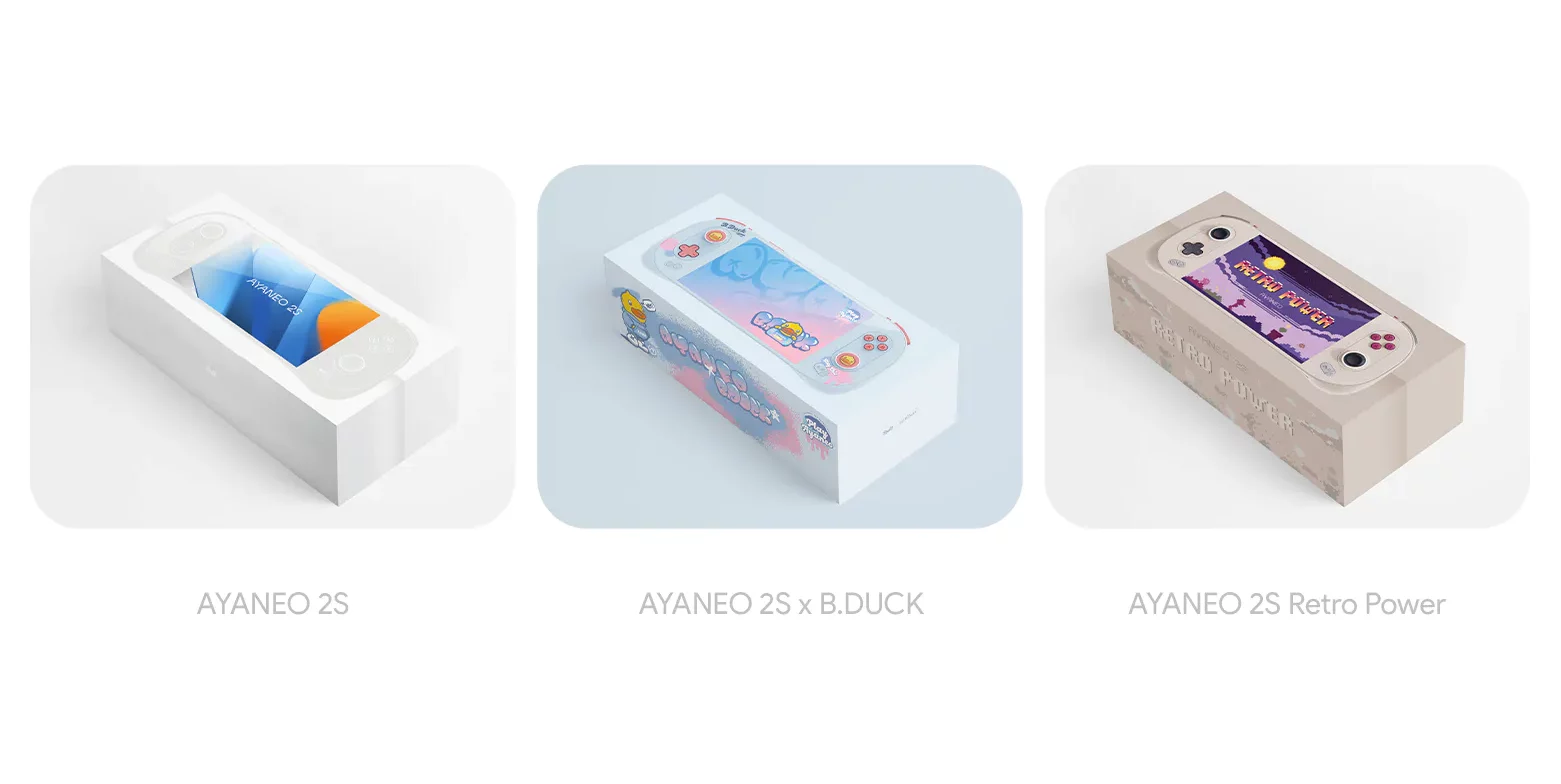
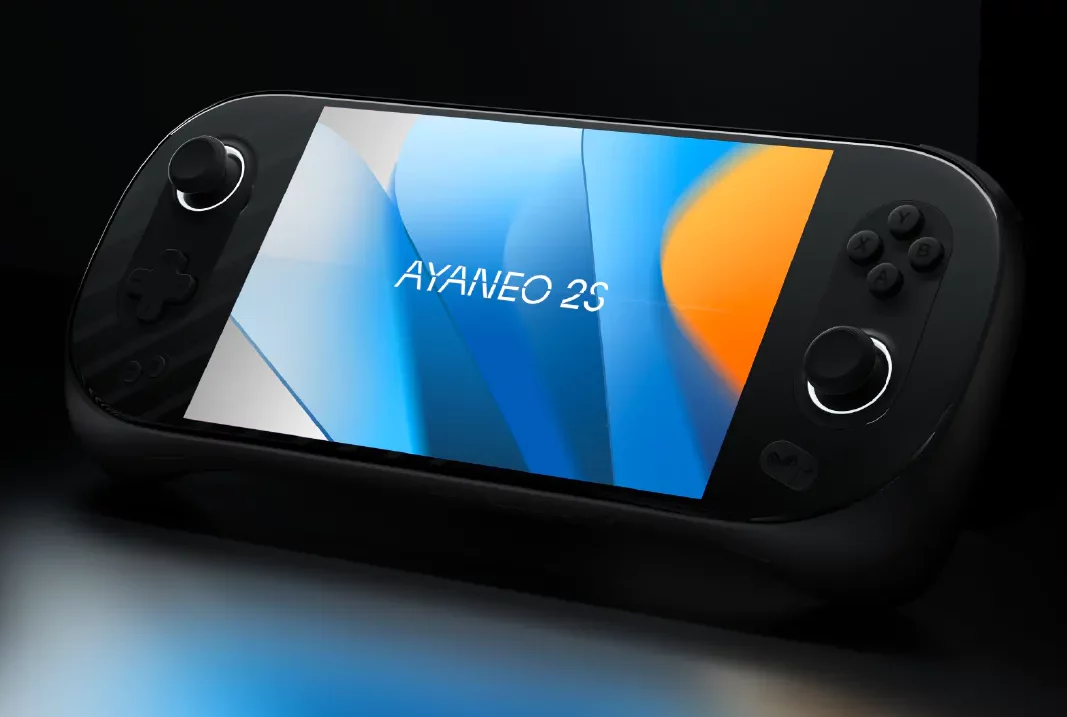
    Ayaneo 2s Black

    The Rise of Handheld Gaming PCs

    The gaming landscape has been evolving at a breakneck pace. From the humble beginnings of Tetris on the Gameboy to the immersive worlds of the Switch, handheld gaming has been a rollercoaster of innovation. And now, with the likes of the Steam Deck, ROG Ally, and the Ayaneo 2S, we’re entering a new era where your favorite PC games can be enjoyed on the go, without compromise.

    Ayaneo 2S vs. ROG Ally: The Specs Showdown

    Ah, the age-old debate: which device reigns supreme? On the one hand, we have the Ayaneo 2S with its stunning 7-inch display, boasting a crisp 1200p resolution. On the other, the ROG Ally, with its equally impressive display but at a 1080p resolution. And let’s not forget the heart of these devices: the Zen 4-based AMD APUs. It’s like comparing two sports cars – each with strengths and quirks.

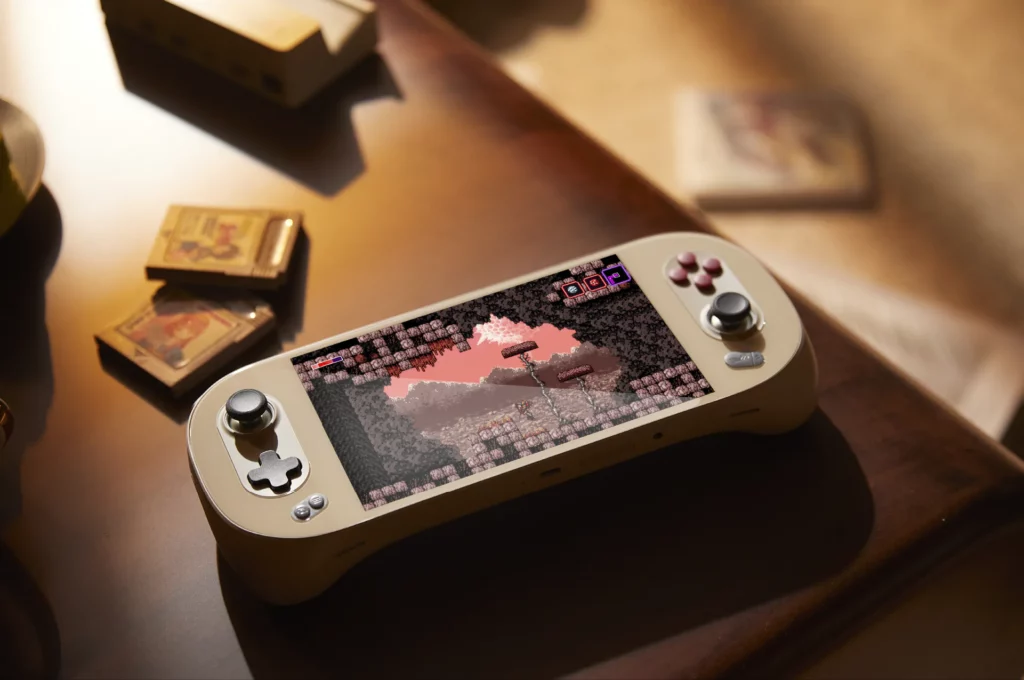
    Ayaneo 2s Retro

    Diving Deeper into the Ayaneo 2S Features

    The Ayaneo 2S isn’t just about good looks. It’s a powerhouse. This device means business with 16GB to 64GB of RAM and storage options that would make any tech enthusiast drool. And did we mention the battery? A robust 50Wh ensures you’re not constantly tethered to a charger.

    Price Points: Getting What You Pay For

    Let’s address the elephant in the room: the price. Starting at $999, the Ayaneo 2S is a significant investment. But as the saying goes, “You get what you pay for.” And with the Ayaneo 2S, you get a top-tier device that promises an unparalleled gaming experience.

    The Evolution of Ayaneo: From 2 to 2S

    Change is the only constant, and the Ayaneo 2S is a testament to that. While it retains the charm of the Ayaneo 2, it brings a slew of upgrades to the table. From a powerful 7840U processor to enhanced cooling features, the 2S is a refined beast, ready to take on any gaming challenge you throw at it.

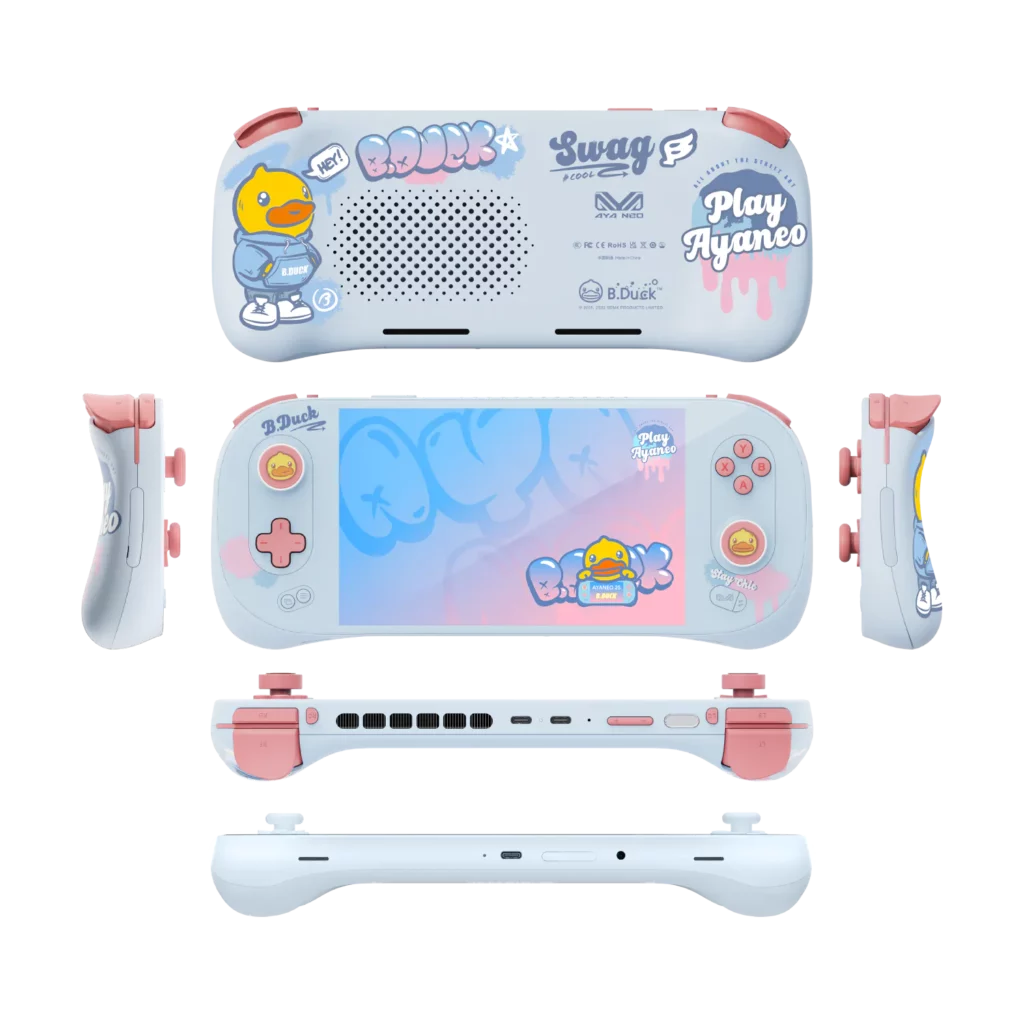
    Ayaneo 2s B duck

    Gaming Performance: Real-World Tests

    Numbers are great, but how does the Ayaneo 2S fare in real-world scenarios? Spoiler alert: It’s impressive. Whether exploring the vast landscapes of AAA titles or indulging in indie gems, the 2S ensures a smooth, immersive experience.

    Ayaneo 2s duck edition

    The Screen: Brightness, Contrast, and More

    A gaming device is only as good as its display. And the Ayaneo 2S doesn’t disappoint. With its 7-inch mini-LED screen, games come to life in vibrant colors and sharp details. Whether you’re gaming indoors or out in the sun, the display ensures you’re always in for a visual treat.

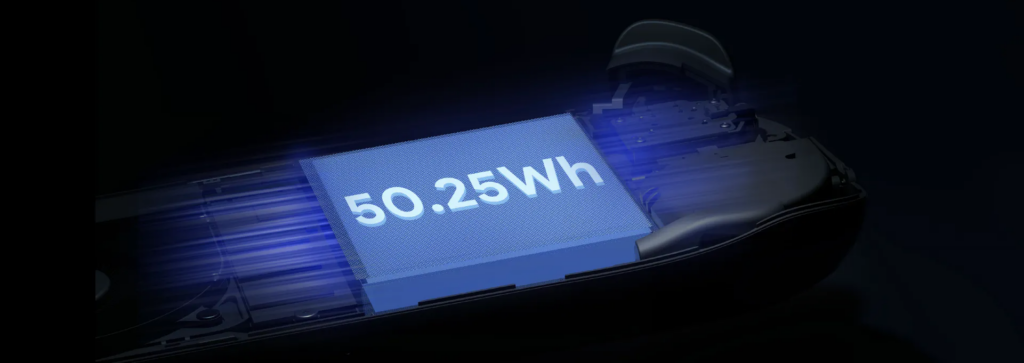
    Ayaneo 2s battery

    Battery Life: Play Longer, Charge Less

    We’ve all been there: engrossed in a game, only to have the device die on us. With the Ayaneo 2S, those moments are few and far between. Thanks to its 50.25WH battery, you can game on without worrying about the next charge.

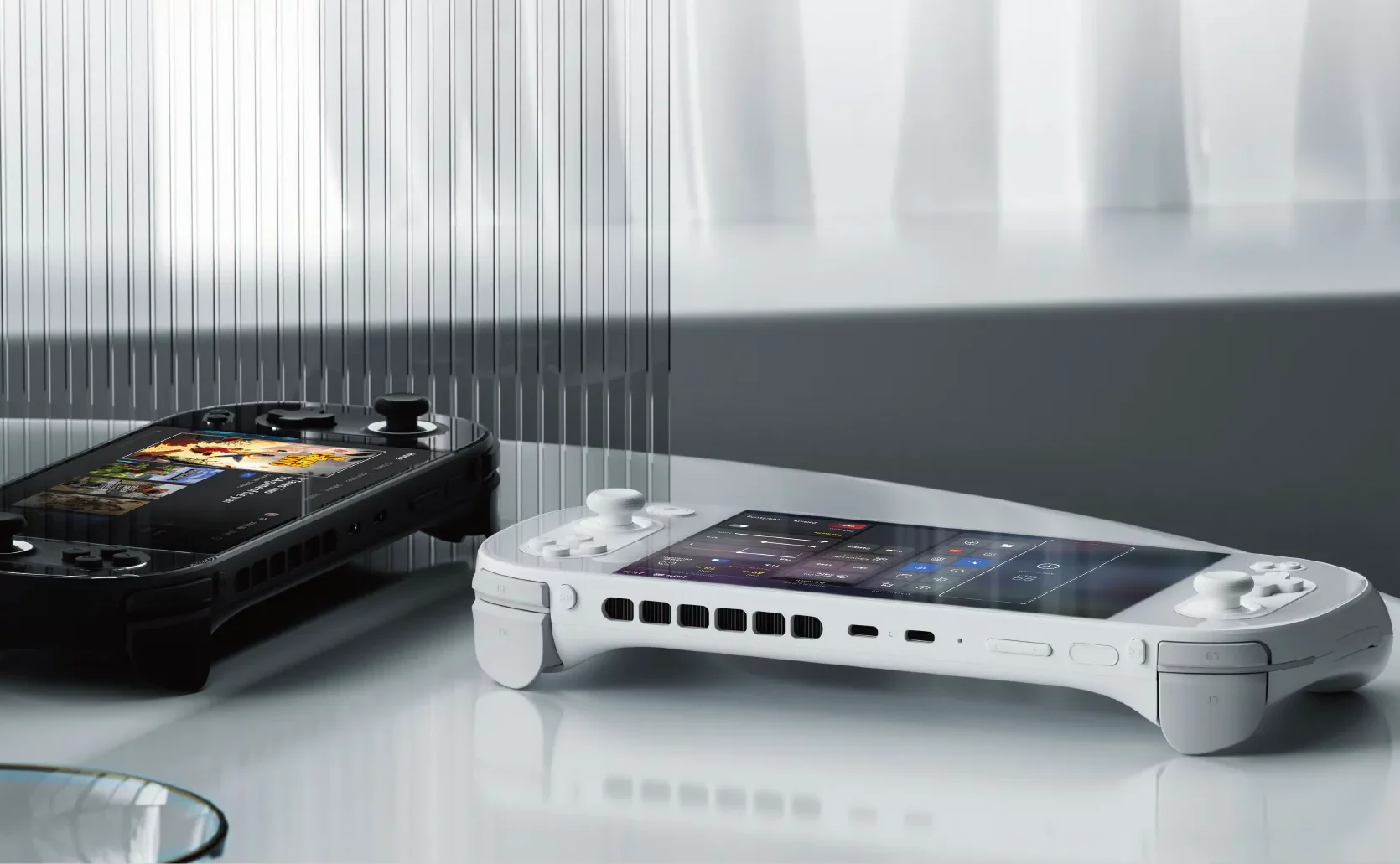
    Ayaneo 2s Black and white

    Software Experience: Windows 11 on a Handheld

    Windows on a handheld? Yep, you read that right. The Ayaneo 2S brings the full power of Windows 11 to your fingertips. While it might seem daunting at first, the benefits are manifold. From a vast gaming library to seamless software compatibility, the Windows experience on the 2S is a game-changer.

    Design and Ergonomics: Feel the Game

    The Ayaneo 2S isn’t just about raw power. It’s designed with gamers in mind. From its ergonomic design to tactile buttons, every element ensures a comfortable gaming session, even during those marathon sessions.

    Ayaneo 2s colors

    Expandability: More Than Just a Handheld

    The Ayaneo 2S is versatile. With various connectivity options, it can quickly transform from a handheld gaming device to a full-fledged PC setup. Whether gaming on the go or at your desk, the 2S covers you.

    Challenges and Concerns

    Every device is flawed, and the Ayaneo 2S is no exception. From its premium price tag to concerns about overheating, certain aspects must be considered before taking the plunge.

    The Competition: Where Does Ayaneo 2S Stand?

    In a market flooded with devices, where does the Ayaneo 2S stand? The competition is fierce, from the value proposition of the Steam Deck to the allure of the ROG Ally. But the 2S, with its unique blend of power and design, carve a niche for itself.

    Pros and Cons of Ayaneo 2S

    ProsCons
    Powerful AMD Ryzen 7 7840U processor ensures top-tier performance.A premium price tag might be a barrier for some.
    The stunning 7-inch mini-LED display offers vibrant and detailed visuals.Concerns about overheating, especially when running at higher wattages.
    Versatile Windows 11 experience in a handheld format.The screen is locked to 60Hz, missing out on higher refresh rates.
    Large 50.25WH battery for extended gaming sessions.Potential support challenges due to Ayaneo being based out of China.
    Ergonomic design ensures comfort during long play sessions.The down-firing speakers aren’t as impressive as some competitors.
    It has wide compatibility with a vast library of games and apps.
    It can double up as a full-fledged PC with the right peripherals.
    It has an enhanced cooling system for better performance.
    Multiple configurations are available to suit different needs and budgets.
    Magnetic Hall effect sensors offer smooth and responsive controls.

    Key Takeaways

    • A powerhouse in Your Pocket: The Ayaneo 2S is a marvel of modern engineering, packing the might of a full-fledged PC into a handheld device.
    •  Price vs. Performance: While the Ayaneo 2S has a premium price tag, it offers top-tier performance, making it a significant contender in the handheld gaming market.
    •  Stunning Display: The 7-inch mini-LED screen ensures games are vibrant, detailed, and a treat for the eyes, setting a new standard for handheld displays.
    •  Battery Life: With a robust 50.25WH battery, the Ayaneo 2S ensures longer gaming sessions without needing a charger.
    •  Windows 11 Experience: The device brings the complete Windows 11 experience to a handheld, opening up a vast library of games and applications.
    •  Ergonomic Design: Beyond its technical prowess, the Ayaneo 2S is designed for gamers, ensuring comfort even during extended play sessions.
    •  Versatility: The Ayaneo 2S isn’t just a gaming device. With its range of connectivity options, it can double up as a full-fledged PC setup.
    •  Challenges: Like all devices, the Ayaneo 2S isn’t without its challenges, from its premium pricing to concerns about overheating.
    •  Standing Among Giants: In a market with heavyweights like the Steam Deck and ROG Ally, the Ayaneo 2S holds its thanks to its unique blend of features and performance.
    •  A New Era of Handheld Gaming: The Ayaneo 2S signifies the evolution of handheld gaming, setting the stage for what’s to come in the future.

    Conclusion

    The Ayaneo 2S is a testament to how far handheld gaming has come. It’s a device that promises power, versatility, and an unparalleled gaming experience. While it has its set of challenges, its strengths make it a worthy contender in the handheld gaming arena.

    FAQs about Ayaneo 2S

    • What is the Ayaneo 2S? 
      • The Ayaneo 2S is a high-performance, handheld gaming PC that offers a blend of power and portability for gaming enthusiasts.
    •  How does the Ayaneo 2S compare to the Steam Deck and ROG Ally? 
      • While the Steam Deck offers value, and the ROG Ally boasts a faster screen, the Ayaneo 2S combines top-tier performance and a stunning display.
    •  Is the Ayaneo 2S just for gaming? 
      • No, the Ayaneo 2S runs on Windows 11, making it versatile enough for various applications, from gaming to productivity tasks.
    •  How much does the Ayaneo 2S cost? 
      • The Ayaneo 2S starts at $999, with prices varying based on configurations and storage options.
    •  Are there concerns about the Ayaneo 2S overheating? 
      • Some users have raised concerns about the device getting hot, especially at higher wattages.
    •  What kind of display does the Ayaneo 2S have? 
      • The device boasts a 7-inch mini-LED screen with vibrant visuals and detailed graphics.
    •  How long does the battery last on the Ayaneo 2S? 
      • The 50.25WH battery can last for around two hours at higher power settings and up to four hours or more with less demanding games.
    •  Can I use the Ayaneo 2S as a regular PC? 
      • The Ayaneo 2S can function as a full-fledged computer with the right peripherals and a docking station.
    •  What kind of controls does the Ayaneo 2S offer? 
      • The device features magnetic Hall effect sensors for smooth management and an ergonomic design for comfortable gameplay.
    •  Where is Ayaneo based, and does that affect support? 
      • Ayaneo is based in China, which might pose challenges for international aid and repairs.
    • Does the Ayaneo 2S support external GPUs?
      • Yes, the Ayaneo 2S has USB4 ports supporting eGPUs, enhancing its gaming capabilities.
    • Is the Ayaneo 2S worth its premium price tag? 
      • While the Ayaneo 2S is pricier, its features and performance make it a compelling choice for those seeking top-tier handheld gaming.
    • How does the Ayaneo 2S handle modern AAA titles? 
      • Thanks to its powerful processor and optimized cooling, the Ayaneo 2S can run demanding AAA titles at very playable frame rates.
    • Are there any alternatives to the Ayaneo 2S in the market? 
      • Yes, devices like the Steam Deck, ROG Ally, and GPD WIN 4 are some of the other options in the handheld gaming PC market.
    • How does the Ayaneo 2S’s sound quality compare to other handhelds? 
      • The down-firing speakers on the 2S are decent but might not be as impressive as some competitors like the ROG Ally.